Author: RPortillo

  • AI Marketing 101 for Non-Techies: Don’t Fear the Robot

    AI Marketing 101 for Non-Techies: Don’t Fear the Robot

    Let’s face it “AI Marketing 101 for Non-Techies” sounds like something from a tech seminar you’d try to avoid. But the truth is, today’s AI tools are built for everyday business owners, marketers, and creatives — no programming required. You don’t need to speak code or understand machine learning to start using AI to write content, analyze data, or automate tasks that normally eat up your time.

    In fact, some of the most powerful AI tools available today were designed specifically for non-techies. Think of AI not as a robot threatening to replace your job, but as a smart assistant ready to take the grunt work off your plate.

    What Can AI Do for Your Marketing?

    Illustration showing AI assisting non-tech users in content creation, data analysis, and automation—highlighting key uses in AI marketing.

    AI isn’t just about fancy algorithms and predictive models. At a practical level, it can help with three major areas of marketing: content creation, data analysis, and automation.

    Let’s take a closer look at each of these, starting with where many marketers spend the most time — creating content.

    1. Content Creation (Even If You Hate Writing)

    Tools like GPT-4 can help you brainstorm headlines, draft social media posts, write email campaigns, or even script video ads. You feed it a prompt: “Write five Instagram captions for a bakery launching a new cupcake flavor” and it spits out copy in seconds. You can tweak the tone, length, and style to match your brand, making it a true collaborative tool.

    Popular user-friendly platforms like Jasper, Copy.ai, and Writesonic are built on top of AI engines and come with templates for blog posts, ads, product descriptions, and more. These tools are intuitive and require zero technical skills to use.

    Once your content is in motion, the next step is understanding how it performs. That’s where AI’s ability to analyze data comes in handy.

    2. Data Analysis (Without Needing a Data Scientist)

    Ever feel overwhelmed looking at Google Analytics or customer spreadsheets? AI can help make sense of it all.

    AI-powered tools like Pecan, MonkeyLearn, or Looker Studio (formerly Data Studio) can analyze trends in customer behavior, segment your audiences, and even suggest what products a user is likely to buy next. Instead of manually digging through data, these tools surface insights and present them in easy-to-understand dashboards.

    For example, AI might reveal that customers who open your Tuesday emails are more likely to click through than those who receive messages on Fridays. That’s actionable information you can use immediately, without needing to understand the backend math behind it.

    With a clear picture of what’s working, you can begin to automate those marketing tasks that repeat every week or month.

    3. Automation (More Time, Fewer Headaches)

    AI also powers many automation tools you may already be using or considering.

    • Chatbots like Tidio, ManyChat, or Intercom can respond to customer questions 24/7, handle appointment bookings, and even upsell your services — all without you lifting a finger.
    • Email marketing platforms like Mailchimp and Klaviyo use AI to segment your audience automatically, send emails at optimal times, and personalize subject lines based on user behavior.

    These automations don’t just save time, they improve results by delivering the right message to the right person at the right time.

    And if you’re wondering whether any of this requires programming skills, don’t worry, these tools are built for marketers, not developers.

    You Don’t Need to Be a Programmer

    The beauty of modern AI tools is that they’ve become incredibly user-friendly. Most platforms offer drag-and-drop interfaces, pre-written templates, and onboarding tutorials. You don’t have to write a single line of code. If you can use a spreadsheet or post on social media, you can start integrating AI into your marketing today.

    That said, getting the most out of these tools does take some experimentation and a little strategic thinking.

    AI is a Tool, Not a Wizard

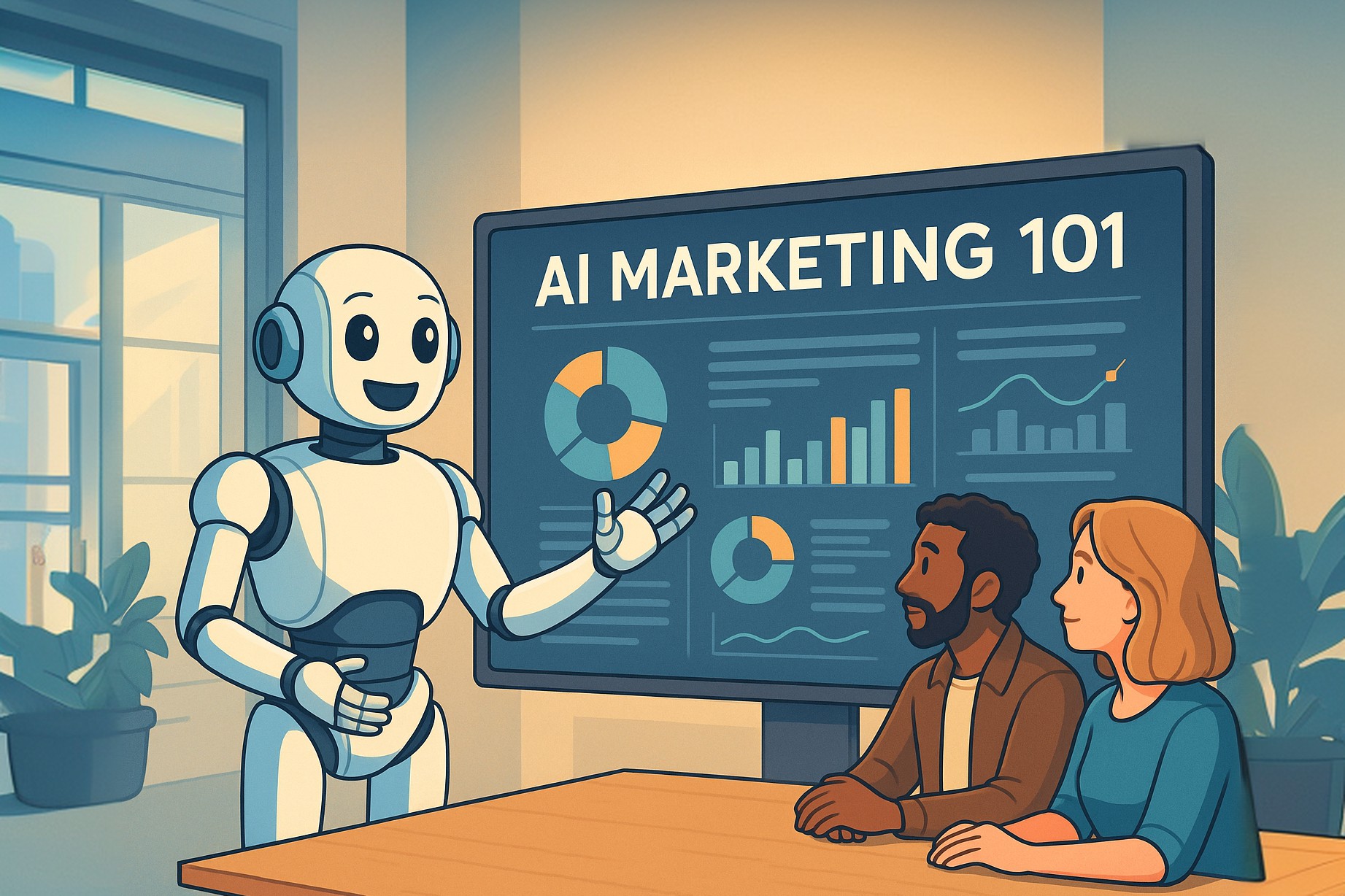
    Non-techie marketer reviewing notes with an AI robot assistant offering helpful suggestions—showing collaboration in AI marketing.

    AI is smart, but it’s not perfect. It won’t magically fix a bad product or make a confusing website convert better overnight. And it sometimes produces results that are off the mark or require human refinement. Think of AI as your assistant, not your replacement. It works best when paired with your experience, intuition, and goals.

    Still, with a little guidance, the learning curve gets even easier.

    Need Help Getting Started with AI?

    If you’re interested in learning how to apply AI to your own business without getting bogged down in tech jargon, Robert’s AI for Business services are a great place to start. Designed specifically for non-tech professionals, Robert offers practical guidance, training, and done-for-you solutions to help you integrate AI into your workflow with confidence.

    Whether you want help writing better emails, building smart automations, or understanding customer data, these services are tailored to make AI feel simple, approachable, and immediately useful.

    So if you’re feeling ready to try AI in your workflow, where should you begin?

    Key Takeaways

    • You don’t need tech skills to use AI. Most tools are designed with non-programmers in mind — if you can use email or a word processor, you can start using AI.
    • AI can help you create better content, faster. Tools like GPT-4, Jasper, and Copy.ai can help you brainstorm and draft everything from blog posts to email subject lines.
    • AI simplifies data. Instead of spending hours analyzing spreadsheets, AI can highlight trends, segment audiences, and show you what’s working.
    • Automation saves time. From chatbots to personalized emails, AI tools can handle repetitive tasks and free you up to focus on strategy.
    • It’s not perfect, but it’s powerful. AI works best when paired with human input — treat it like a smart assistant, not a magic fix.
    • Help is available. Robert’s AI for Business services are built for non-techies who want step-by-step support.

    Final Thought: Experiment Without Fear

    You don’t have to overhaul your entire marketing strategy overnight. Start small. Try generating a blog outline, analyzing your email open rates, or automating one customer service reply. See what works. Adjust. Repeat.

    The AI tools are here. They’re powerful. And they’re more accessible than ever. The only thing you really need to get started? Curiosity.

    So go ahead — try the robot. You might be surprised at how human it makes your marketing feel.

    1. Do I need any coding experience to use AI in my marketing?

    No. Most popular tools are designed for non-programmers. If you can use Google Docs, you can use GPT-based tools.

    2. Is AI expensive to implement?

    Not necessarily. Many AI tools offer free trials or affordable plans. You can start small and upgrade as needed.

    3. Will AI replace my marketing team?

    No. AI is a tool, not a replacement. It’s great for speeding up tasks and offering insights, but human strategy and creativity are still key.

    4. What’s the best AI tool for beginners?

    Tools like ChatGPT, Jasper, Copy.ai, Mailchimp, and Tidio are user-friendly and great for first-time users.

    5. Where can I get help if I feel stuck?

    Robert’s AI for Business services offer personalized help, training, and done-for-you support tailored for non-tech users.

    Robert Portillo - SEO & CRO Specialist and AI Educator

    About the Author

    Robert Portillo is an AI and business transformation expert with over 20 years of experience in SEO, conversion optimization and technology. He leverages AI-driven tools to analyze patterns, predict user behavior, and develop solutions that drive measurable growth. Holding advanced credentials, including the MECLABS AI Guild – Level 50, Robert simplifies AI complexities for business owners and professionals. As the creator of the AI For Business Free Course, he empowers leaders to apply AI practically, streamlining workflows and uncovering new revenue streams. His mission is to ensure businesses lead in the AI revolution.

  • CRO Basics to Catch Those Leads: Your Website Isn’t a Sieve

    CRO Basics to Catch Those Leads: Your Website Isn’t a Sieve

    You’ve spent time, energy, and budget driving traffic to your website, but without applying the CRO Basics to Catch Those Leads, your site could be leaking opportunities like a sieve instead of converting visitors into customers.

    Conversion Rate Optimization (CRO) is the process of patching those holes — systematically identifying where prospects drop off, why they leave, and what changes can turn casual clicks into paying customers. When done well, CRO doesn’t just improve user experience — it can deliver massive revenue growth, even with modest gains in conversion rate.

    Let’s break down the fundamentals of CRO, explore the anatomy of the conversion funnel, highlight practical strategies that deliver results, and show how professional audits can pinpoint hidden opportunities.

    What Is Conversion Rate Optimization (CRO) and Why It Matters for Your Business

    CRO is about increasing the percentage of users who take a desired action on your website — filling out a form, making a purchase, signing up for a newsletter, or requesting a demo. Instead of chasing more traffic, CRO focuses on making the most of the traffic you already have.

    Even a small lift in conversions can have an outsized impact. For example, if your e-commerce site converts at 2% and you improve that to just 2.4%, that’s a 20% increase in sales — without spending another cent on ads.

    To optimize effectively, you first need to understand the path your visitors take — from the moment they land on your site to the point they convert. That path is known as the conversion funnel.

    Understanding the CRO Conversion Funnel: How Users Move Toward Action

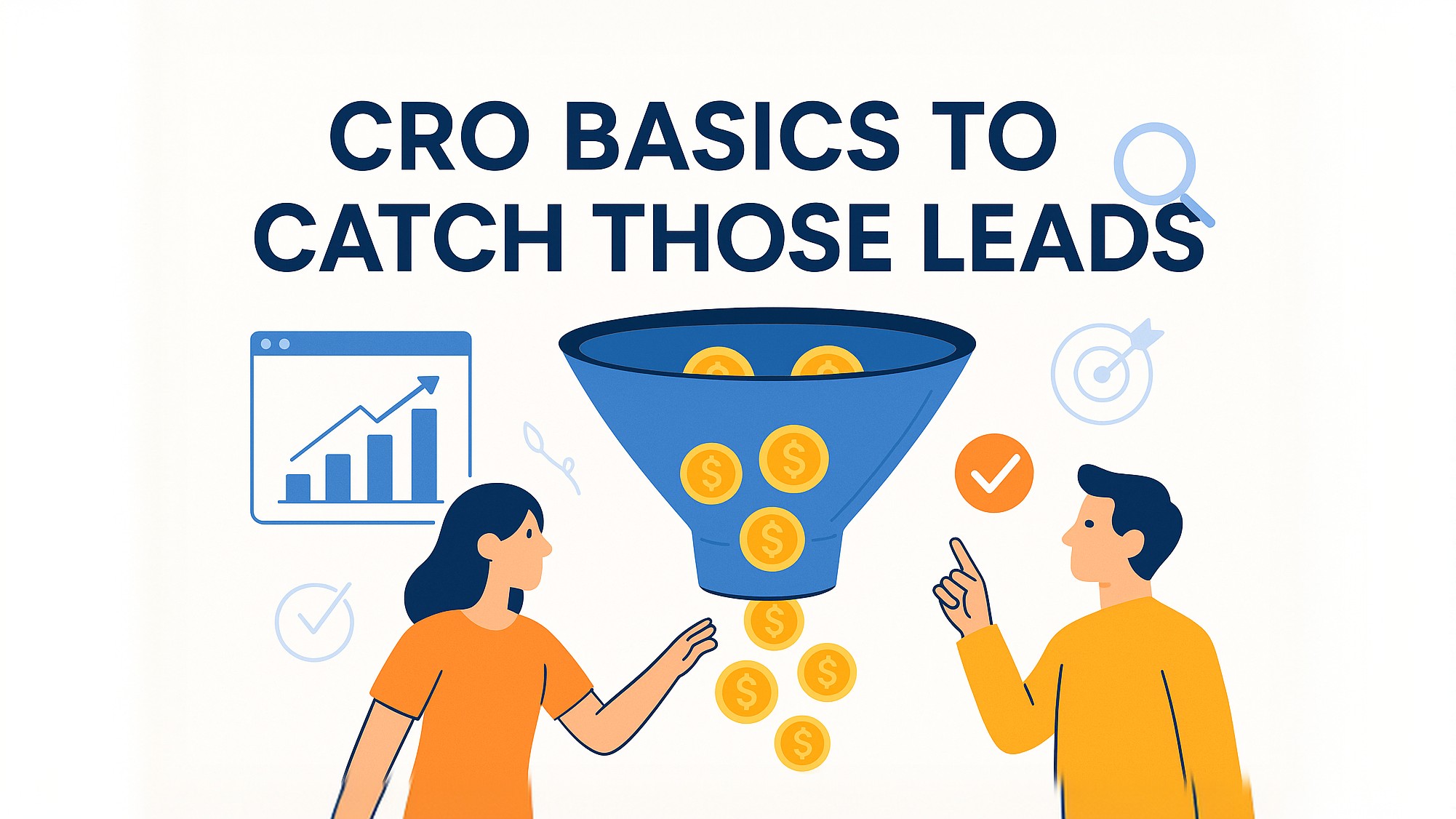
    Illustration of a marketing conversion funnel with stages Awareness, Interest, Desire, and Action.

    At the heart of CRO is the conversion funnel — a series of steps a user takes before converting. It typically looks something like this:

    1. Awareness – A visitor lands on your site through search, social media, or ads.
    2. Interest – They browse your content, products, or services.
    3. Desire – They consider making a purchase or getting in touch.
    4. Action – They fill out a form, click “buy,” or schedule a call.

    At each stage, there’s potential for drop-off. Visitors might leave because the page loads too slowly, the call-to-action isn’t compelling, or the checkout process is confusing.

    Your job? Find and fix the leaks.

    Once you know where people are dropping off, the next step is addressing those issues with practical solutions. While some improvements take time, there are several high-impact changes you can implement quickly to boost conversions.

    CRO Quick Wins That Deliver Immediate Results

    While every business is different, there are certain high-impact optimizations that often deliver strong returns. Here are a few proven tactics backed by real-world results:

    1. Simplify Long Forms

    Nobody likes a long form — especially when they’re just trying to get a quote or sign up for a free trial.

    Expedia once removed just one optional field — “Company Name” — from a booking form. That tiny tweak led to a $12 million increase in annual profit.

    What to try:

    • Eliminate optional fields.
    • Break long forms into multi-step wizards.
    • Use smart defaults or auto-fill where possible.

    Shorter forms reduce friction and encourage more submissions.

    2. Improve Page Load Speed

    According to Google, 53% of mobile users abandon sites that take longer than 3 seconds to load. And it’s not just bounce rates — slow sites hurt engagement and conversions too.

    An important store found that for every 1-second improvement in load time, they saw a 2% increase in conversions.

    What to try:

    • Compress large images and media files.
    • Use lazy loading for images and videos.
    • Eliminate unnecessary scripts and third-party plugins.

    Fast-loading pages keep visitors on-site and moving toward your goal.

    3. Add Social Proof Where It Matters

    Trust is a major factor in conversions — especially for first-time visitors. Testimonials, reviews, client logos, or case studies can help bridge that trust gap.

    Example: Adding customer testimonials near pricing on a SaaS landing page boosted sign-ups by 34% in a VWO case study.

    What to try:

    • Place testimonials near calls-to-action.
    • Highlight specific results or success stories.
    • Use real names, photos, and company titles for credibility.

    Social proof is most effective when it’s relevant, specific, and authentic.

    4. Clarify Your Call-to-Action (CTA)

    Weak or vague CTAs lead to hesitation and drop-offs. Strong CTAs tell users exactly what they’re getting and why they should act now.

    Example: Unbounce tested different CTA wording for a lead-gen campaign. Changing “Start your free trial” to “Start my free trial” increased conversions by 90% — a subtle shift that made the offer feel more personal.

    What to try:

    • Use action-oriented language: “Get My Quote,” “Start My Trial,” “Download Now.”
    • Test button colors and placement, but focus more on clarity and relevance.
    • Reduce distractions around your CTA.

    A good CTA removes uncertainty and drives confident action.

    5. Use Heatmaps and Session Recordings

    Sometimes the biggest wins come from simply watching how users behave on your site. Tools like Hotjar and Microsoft Clarity show you where people click, scroll, and get stuck.

    For example: You might discover that users aren’t scrolling far enough to see your CTA, or that they’re clicking on a non-clickable image expecting it to do something.

    What to try:

    • Use heatmaps to spot patterns on key landing pages.
    • Watch session recordings to see where users hesitate or bounce.
    • Combine with analytics to prioritize pages with high traffic but low conversion rates.

    User behavior doesn’t lie. It reveals exactly where friction lives.

    Metrics like bounce rate and conversion percentage are useful, but they only tell part of the story. To gain deeper insights, you have to understand the “why” behind user actions.

    Understanding user behavior is key to optimizing your site effectively. If you want expert guidance tailored to your business, consider exploring professional SEO and CRO services that specialize in improving your website’s performance and increasing leads.

    How User Behavior Impacts CRO Success

    Confused users highlighting the importance of understanding user behavior.

    CRO isn’t just about design tweaks or A/B tests — it’s about understanding human behavior.

    • What are visitors expecting when they land on your page?
    • What might be causing confusion or distrust?
    • What do they need to see before taking the next step?

    Behavior analytics, user surveys, on-site polls, and even live chat transcripts can give you insights that analytics alone won’t show. When you combine quantitative data (bounce rate, exit rate, time on page) with qualitative input (why they left, what confused them), you can make smarter optimization decisions.

    Even with the right tools and tactics, it can be hard to see everything clearly from the inside. That’s why many businesses turn to professional CRO audits for a fresh, systematic look.

    Why a CRO Audit Is Essential for Boosting Website Conversions

    Sometimes, what looks like a trickle of lost conversions is really a flood hiding in plain sight. A professional CRO audit can uncover issues you never considered—from misaligned messaging and mobile UX problems to poor funnel flow.

    A good CRO audit typically includes:

    • Funnel analysis to see where drop-offs occur
    • Heuristic evaluations of key pages
    • User behavior analysis via heatmaps or session replays
    • Competitor comparisons
    • A prioritized list of high-impact fixes

    Think of it as a diagnostic check-up for your website, ensuring you’re not bleeding revenue where it matters most.

    The truth is, Conversion Rate Optimization isn’t about one magic fix — it’s about a process. And when you commit to it, the cumulative gains can be game-changing.

    Why CRO Is a Long-Term Strategy That Delivers Sustainable Growth

    Conversion Rate Optimization isn’t a one-time fix. It’s an ongoing discipline — a mindset of constant improvement.

    Start by addressing the obvious friction points. Use behavior tools to learn how users actually interact with your site. Test small, measure everything, and always keep the end-user in mind.

    If your site is leaking leads, remember: It doesn’t take a complete redesign to see big gains. It just takes knowing where the holes are—and patching them with purpose.

    If you’re ready to take things further, check out these free CRO course resources for actionable guides, tools, and templates that can help you spot and fix conversion issues more effectively.

    Key Takeaways

    • CRO turns more of your existing traffic into leads and sales — often with modest changes that yield big results.
    • Understanding your conversion funnel is essential for diagnosing where users fall off.
    • Quick wins like simplifying forms, speeding up your site, and adding trust elements can drive noticeable lifts.
    • User behavior data is more valuable than assumptions — watch what users do, not what you think they do.
    • A professional CRO audit can reveal blind spots and help prioritize what to fix next.

    Ready to stop the leaks and start capturing more leads? Whether you’re just beginning to work on CRO or looking for a thorough review of your site’s performance, improving your conversion rate might be the smartest move you make this year.

    1. What is CRO and why is it important?

    CRO, or Conversion Rate Optimization, is the process of improving your website to increase the percentage of visitors who complete a desired action—such as filling out a form, signing up, or making a purchase. Even small improvements in conversion rates can lead to significant increases in revenue over time.

    2. What is a conversion funnel?

    A conversion funnel refers to the journey a user takes from first visiting your site to completing a goal (like making a purchase). Each step—landing page, product page, checkout, etc.—can affect whether the visitor continues or drops off. Identifying weak points helps reduce lost leads.

    3. What are some quick CRO wins I can try today?

    Some effective, non-generic CRO tactics include simplifying overly long forms, speeding up your site’s load time, adding trust elements like testimonials, and making your calls-to-action more specific and compelling.

    4. How can I tell where users are getting stuck on my site?

    Behavior tracking tools like heatmaps and session recordings help you visualize where users click, scroll, and abandon pages. These tools reveal friction points that analytics alone often miss.

    5. How does page speed impact conversion rates?

    Slow-loading pages frustrate users and increase bounce rates. Research shows that conversion rates drop by an average of 4.42% with each additional second of load time between 0–5 seconds (source).

    6. Should I hire a professional for CRO?

    If your site handles a high volume of traffic or revenue, a professional CRO audit can be a smart investment. Experts can identify missed opportunities, run tests, and implement data-backed changes for long-term gains. For tailored help, explore professional SEO and CRO services.

    Robert Portillo - SEO & CRO Specialist and AI Educator

    About the Author

    Robert Portillo is a recognized leader in SEO and conversion rate optimization with over 18 years of experience. As the founder of BroBex Marketing, he has helped thousands of businesses grow through innovative, data-driven strategies. Known for seamlessly blending advanced SEO tactics with thoughtful CRO design, Robert brings a deep understanding of conversion psychology to every project. His insights have been featured at industry-leading events including SEO Rock Stars, SEO Spring Training, and The SEO Mastery Summit. Through his work, Robert continues to drive measurable growth and impact in the digital marketing landscape.

  • SEO Basics for Business Owners: Stop Hiding from Google

    SEO Basics for Business Owners: Stop Hiding from Google

    SEO Basics for Business Owners start with one critical truth: if your website isn’t on the first page of Google, most people won’t see it. Over 90% of users never click past the first page of search results. Think about your own behavior — how often do you hit “next page”? Rarely, if ever. Ranking near the top isn’t about pride — it’s about getting found. Learning SEO basics for business owners is essential to closing that gap and making sure your site is visible to people actively looking for your products or services.

    Your potential customers are already searching online. SEO ensures your website shows up when they do.

    To help you get started on improving your website’s visibility, here’s an essential checklist covering the basics of SEO for business owners.

    SEO Basics for Business Owners: Essential Checklist

    Here’s a simple starting point for any business owner:
    ✅ Make sure your site is mobile-friendly
    ✅ Fix broken links or error pages (404s)
    ✅ Use HTTPS (check for the padlock in your browser)
    ✅ Add clear titles and headings to every page
    ✅ Include relevant keywords naturally
    ✅ Update title tags to reflect your page content and keywords
    ✅ Write compelling meta descriptions for each page
    ✅Claim your Google Business Profile and keep it updated
    ✅ Get listed on local and industry directories
    ✅ Ask for backlinks from partners and local blogs
    ✅ Add new content regularly (even short blog posts help)

    Now that you have a clear checklist to get started, let’s take a closer look at how search engines work and the three pillars of SEO that will help you implement these tasks effectively.

    How Search Engines Work

    At its core, Google’s job is to connect people with the most useful and relevant information. When someone types in a search, Google scans billions of pages and decides which ones are most likely to answer the query. It then ranks those results from most helpful to least.

    Google does this using algorithms that look at:

    • Technical signals (Is the site easy to load and navigate?)
    • Content (Does it clearly answer the searcher’s question?)
    • Backlinks (Do other websites trust and link to this one?)

    SEO is the practice of improving your site so that Google sees it as relevant, trustworthy, and worth showing to people searching.

    Let’s break this down into three areas that can help you take control of your visibility online.

    Three Pillars of SEO

    1. Technical SEO: Can Google Read Your Site?

    You could have the best product in the world, but if your website is slow or confusing, Google won’t show it to people.

    Key technical elements include:

    • Mobile-friendliness: Your site must work well on phones and tablets.
    • Fast loading time: Slow websites frustrate visitors — and Google notices.
    • Clean structure: Google needs to understand your site layout, which means clear navigation and no broken links.
    • Secure site: HTTPS (with an SSL certificate) is now a must for ranking.

    You don’t need to be a coder to fix most of this — many website platforms (like WordPress, Wix, and Shopify) have tools or plugins that handle the basics. A website audit is a great way to check where you stand.

    2. On-Page SEO: Is Your Content Clear and Useful?

    This is where the myth of “keyword stuffing” comes in. Once upon a time, websites could rank by cramming the same word dozens of times on a page. Today, that doesn’t work—and can actually hurt your rankings.

    Instead, focus on creating useful, well-written content that naturally includes the words your customers are searching for.

    Key content optimization tips:

    • Use descriptive titles and headings (H1, H2) to make content easy to scan.
    • Include relevant keywords in the page title, URL, and first paragraph — but only where it makes sense.
    • Write content that answers real questions your audience might ask.
    • Add alt text to images so search engines understand them.
    • Avoid duplicate content; every page should offer something unique.

    Think like a customer. If someone searched for “plumber in Pasadena,” would your page clearly explain what you do, where you serve, and how to contact you?

    3. Off-Page SEO: Who’s Linking to You?

    Google sees links from other websites as a vote of confidence. The more reputable sites that link to yours, the more credible Google thinks you are.

    This is where backlinks come in. You don’t need thousands — but getting a few high-quality links from relevant sites can make a big difference.

    Easy backlink strategies include:

    • Getting listed on local directories (Yelp, BBB, Chamber of Commerce)
    • Writing guest posts for industry blogs
    • Asking partners, vendors, or satisfied clients to link to your site
    • Sharing your content on social media (which can lead to natural backlinks)

    Backlinks tell Google, “Other people trust this site” — and that helps your ranking.

    Common SEO Myths (and the Truth)

    Common SEO Myths

    Let’s clear up a few lingering myths:

    • Myth: SEO is just about keywords.
      Truth: Keywords matter, but structure, speed, and backlinks are just as important.
    • Myth: You need to pay Google to show up.
      Truth: Organic SEO is free. Paid ads are separate — and often skipped by users.
    • Myth: You only need to do SEO once.
      Truth: SEO is ongoing. Your competitors are always trying to outrank you.
    • Myth: It takes years to see results.
      Truth: While SEO is long-term, many sites see improvements in 3-6 months with basic fixes.

    The truth is, SEO works — and even small improvements can lead to big results.

    Real-World Wins: Small Businesses, Big Results

    Real-World Wins Small Businesses, Big Results

    You don’t need a huge marketing budget to see big gains from basic SEO improvements. Here are a couple of examples:

    A local bakery updated its website title tags to include “organic bakery in Austin” and added directions and hours to its homepage. Within two months, they jumped to page one for local searches and saw a 40% increase in foot traffic.

    A plumbing company fixed broken links on their site and added city-specific pages for each area they served. They started ranking in nearby neighborhoods and got 3–4 new calls per week they weren’t getting before.

    These aren’t complex strategies — they’re simple SEO fundamentals done right.

    Key Takeaways

    • SEO isn’t just for tech experts — any business owner can grasp the basics and make meaningful improvements.
    • Being on page one matters. If people can’t find you, they can’t choose you.
    • Focus on the three pillars: technical SEO, on-page content, and backlinks.
    • Avoid shortcuts and myths. Real SEO success comes from clarity, consistency, and credibility — not tricks.
    • Start with the fundamentals. Mobile-friendly design, fast load times, clear content, and quality links go a long way.

    Even small changes can lead to big results. You don’t need to do everything at once — just start with what you can control and build from there.

    Ready to take the next step? Let’s bring it all together.

    Final Thoughts

    SEO isn’t a mystery. It’s a set of tools and practices that help search engines understand and trust your website. By handling the technical basics, writing useful content, and earning a few quality links, you can start showing up where it matters most: the first page of Google.

    You don’t need to overhaul everything at once. Start with the checklist, run a quick audit, and make small, steady improvements. SEO doesn’t have to be complicated — but it does need your attention.

    Because if your customers can’t find you, they can’t choose you. And in today’s online-first world, visibility is non-negotiable.

    Still unsure where to begin? That’s where an SEO audit comes in — it can highlight easy wins and help prioritize your next steps.

    Get Started with an SEO Audit

    Before diving into advanced strategies, the best first step is to get an SEO audit. This shows you where your site stands in terms of speed, mobile performance, content structure, and backlinks. Some platforms offer free scans, or you can hire a pro to give you a comprehensive look.

    An audit acts like a checklist, revealing the easy wins and the areas that need work. You can’t fix what you can’t see — and with SEO, visibility is everything.

    Robert Portillo - SEO & CRO Specialist and AI Educator

    About the Author

    Robert Portillo is a recognized leader in SEO and conversion rate optimization with over 18 years of experience. As the founder of BroBex Marketing, he has helped thousands of businesses grow through innovative, data-driven strategies. Known for seamlessly blending advanced SEO tactics with thoughtful CRO design, Robert brings a deep understanding of conversion psychology to every project. His insights have been featured at industry-leading events including SEO Rock Stars, SEO Spring Training, and The SEO Mastery Summit. Through his work, Robert continues to drive measurable growth and impact in the digital marketing landscape.

  • How to Use AI for Small Business: Your Step-by-Step Guide to Automation and Growth

    How to Use AI for Small Business: Your Step-by-Step Guide to Automation and Growth

    Learning how to use AI for small business can be a game-changer. AI is moving fast—so fast that small businesses that fail to adopt it risk being left in the dust. While you’re busy managing day-to-day operations, your competitors might already be using AI to work more efficiently, make smarter decisions, and improve customer experiences.

    Recent reports indicate that 40% of U.S. small businesses now use generative AI, nearly double the 23% reported in 2023, according to the U.S. Chamber of Commerce’s 2024 Technology Impact Report. Businesses using AI have seen up to a 30% boost in efficiency.

    The truth is, AI isn’t just for tech giants anymore—it’s an accessible yet powerful tool that offers affordable AI solutions for small business owners, helping them streamline processes, reduce costs, and boost growth.

    But here’s the good news: you don’t need to be a tech expert to benefit from AI. Whether it’s streamlining marketing, automating tedious or complex tasks, or gaining deeper customer insights, AI offers a massive competitive advantage—even in the smallest of tasks. The key is knowing where to start and how to use it effectively.

    In this guide, we’ll break down exactly how small businesses can integrate AI into their workflows, helping you stay ahead instead of scrambling to catch up. The opportunity is here—are you ready to seize it?

    But before we dive into details, here’s a quick start checklist to help you take your first steps with AI today.

    Quick Start Checklist: Get Started with AI in 5 Easy Steps

    ✅ Identify a Key Pain Point
    Start by looking for repetitive, time-consuming tasks that drain your resources. These are often the best candidates for AI solutions—think customer service inquiries, appointment scheduling, or data entry.

    ✅ Pick the Right AI Tool
    Choose a tool that directly addresses your business need. For help, check AI Solutions for Common Small Business Challenges. Here are a few of the options you will find:

    • For Content Creation: To generate creative, accurate, and engaging content efficiently using AI-powered writing tools.
    • For Customer Service Automation: Check it out to gain insights from customer feedback, automate responses, and improve satisfaction with AI-driven customer insights.
    • For Boosting Your Online Visibility: Use it to discover high-traffic keywords and optimize your content for local search rankings, improving your business’s online presence.

    ✅ Test It First
    Always start with a free trial or basic version to see how the tool fits into your workflow. This allows you to assess its value with minimal risk.

    ✅ Track Results
    Measure key metrics such as time saved, cost reduction, or increased customer engagement. Monitor performance and adjust as needed to ensure you’re getting the most out of the tool.

    ✅ Refine and Scale
    Once you see positive results, integrate the tool more fully. Gradually expand your AI use to other areas like marketing, sales, and finance for even greater impact.

    With your Quick Start steps in mind, let’s explore how AI can take your business to the next level. Whether it’s automating repetitive tasks or enhancing customer interactions, AI offers practical solutions to improve efficiency and free up your time for what really matters.

    AI for Enhanced Efficiency and Productivity

    AI for Enhanced Efficiency and Productivity

    One of the most significant benefits of AI technology for small businesses is its ability to automate tasks and boost efficiency. Adam Nathan, CEO of Blaze, highlights this in an interview. He explains how AI automation tools for small businesses overcome the challenges of limited resources and marketing expertise by automating content creation, SEO optimization, and social media management. This allows small business owners to focus on their core strengths while AI handles time-consuming marketing tasks.

    Imagine having a 24/7 virtual assistant that can handle customer inquiries, schedule meetings, and even generate marketing content. This is the future envisioned by an entrepreneur interviewed about AI agents. He believes that AI agents will become as essential as email addresses and websites for businesses, allowing them to automate communication and customer interactions.

    The Benefits of AI for Small Businesses

    The Benefits of AI for Small Businesses

    AI isn’t just a trend—it’s a powerful tool to help solve business pain points and improve efficiency. From automating repetitive tasks to enhancing customer satisfaction, AI makes it easier to focus on growing your business. Let’s explore some of the biggest benefits.

    1. Efficiency and Automation. Tired of spending hours on data entry and scheduling? Imagine tools that handle invoicing, appointment management, and other repetitive or time consuming tasks automatically. With AI-driven automation, you can focus on strategy and building stronger customer relationships instead of getting bogged down by routine work.
    2. Cost Savings Automating business processes reduces labor costs and minimizes errors, leading to long-term savings while ensuring the protection of sensitive data.
    3. Better Decision-Making.  AI explores and analyses data to provide insights that help businesses make data-driven decisions, such as predicting sales trends and optimizing customer interactions.
    4. Improved Customer Experience.”Customer service chatbots and AI-powered virtual assistants provide real-time solutions, improving communication and boosting satisfaction rates. These tools help businesses enhance their offerings while ensuring faster, more efficient customer support.
    5. Competitive Advantage Small business AI implementations allow companies to optimize current processes and outperform competitors who rely on traditional, manual business practices.

    The U.S. Small Business Administration (SBA) emphasizes the importance of data analysis in strategic decision-making with AI. They suggest using AI to analyze customer data and identify patterns, enabling businesses to make better strategic decisions and identify areas for improvement. For example, AI can help understand which marketing campaigns are most effective or which products are most popular with specific customer segments.

    One example from the U.S. Chamber of Commerce highlights how CarGari, a peer-to-peer car rental company, uses AI to provide exceptional customer service. Despite having a small team, CarGari leverages AI-powered chatbots to provide instant support and answer customer queries around the clock. This allows them to offer a level of service that would be impossible to achieve with limited human resources.

    Small Business AI Adoption: By the Numbers

    If you love data-driven insights—well, so do I. AI isn’t just hype; the numbers prove that small businesses are using it to work smarter, save time, and grow faster. From marketing and customer service to automation and decision-making, here’s how AI is making an impact where it matters most.

    AI-usage

    1. AI Adoption is Gaining Momentum in Small Businesses

    AI adoption isn’t just for big corporations—even the smallest businesses are starting to embrace it. While a shift from 4.6% to 5.8% may seem modest, it represents thousands of businesses taking their first steps into AI—a sign that even the most resource-limited companies see AI as a necessity, not just an option. As AI tools become more affordable and accessible, expect this number to grow even faster.

    *Source: Tech Brew, 2024

    2. Where Small Businesses Are Using AI the Most

    AI is making the biggest impact where it counts—marketing, customer service, and automation. Whether it’s crafting content, engaging customers, or keeping operations smooth, small businesses are using AI to save time and boost results.

    *Source: Next Insurance, 2025

    Millenials-an-d-Gen-Z-small-business-owners
    visual-selection

    3. Younger Business Owners Are Leading the AI Charge

    AI adoption isn’t just about business size—it’s also about mindset. Younger entrepreneurs are leading the charge, embracing AI to streamline operations, boost productivity, and make smarter decisions faster.

    *Source: Tech Brew, 2024

    4. AI is a Business Booster—Just Ask 82% of Small Business Owners

    If you’re still wondering whether AI is worth it. A recent survey from the SBE Council’s 2023 Small Business AI Adoption Survey found that 82% of small business owners using AI tools believe they’ve improved business operations and growth. The survey analyzed responses from 676 business owners across industries such as retail, healthcare, and construction, highlighting strong AI adoption across various revenue brackets and age groups.

    *Source: Sbecouncil

    Impact-of-AI-in-small-businesses
    Operational-Costs-Reduction

    5. AI Helps Small Businesses Cut Costs

    Hiring a full team for every task isn’t always realistic, but AI can fill in the gaps. By automating repetitive work and optimizing resources, AI helps small businesses save money while scaling smartly.

    *Source: U.S. Chamber of Commerce, 2025

    6. AI is Helping Small Businesses Compete with Big Brands

    AI is the great equalizer. With smart automation and data insights, small businesses can compete with bigger brands—without a massive budget or staff.

    *Source: FIU Business, 2025

    ai levels the playing field for small businesses

    What Small Business Owners on Reddit Are Saying

    In today’s rapidly evolving business landscape, small businesses are increasingly turning to artificial intelligence (AI) to stay competitive. The following insights are drawn from Reddit discussions, reflecting real-life experiences and challenges faced by small business owners in their AI adoption journey.

    AI Adoption Among Small Businesses

    There’s a growing interest among small business owners in leveraging AI to improve their operations. Many are exploring different avenues where AI tools may be helpful, such as marketing intelligence, social media analytics, and customer service automation. For instance, one user shared how they implemented AI to automate lead follow-ups, allowing them to focus on higher-priority tasks.

    Time-Saving Through Automation

    A major motivator for small businesses adopting AI is the potential for time-saving by automating repetitive tasks and streamlining workflows.

    Tasks like data entry, appointment scheduling, and initial customer inquiries can be efficiently handled by AI, freeing up valuable time for business owners to focus on strategic activities. As one Redditor mentioned, AI can handle initial customer inquiries and FAQs, allowing business owners to focus on more complex tasks.

    Enhancing Customer Service and Lead Management

    AI applications in customer service and lead management are particularly promising. Businesses see potential in using AI to handle phone calls, gather information, generate quotes, and automate lead follow-ups.

    For example, a user discussed creating a chatbot trained on their business’s invoices and past jobs to provide quick estimates to potential customers, thereby saving time and increasing efficiency.

    Diverse AI Applications

    Beyond customer service and lead management, AI tools are being explored in various areas, including marketing intelligence, social media analytics, and content creation.

    For instance, AI can assist in generating personalized marketing content, analyzing customer behavior, and optimizing social media engagement, thereby enhancing overall business performance.

    Challenges in AI Adoption

    Adopting AI offers many benefits, but small businesses may encounter pain points such as cost management, data security, and integration challenges.

    The good news? For each of these hurdles, there’s a targeted solution that aligns with your business needs and helps you drive growth and improve efficiency. Here’s how you can address these challenges effectively.

    Challenge Description AI Solution
    Cost of Implementation High initial investment for AI tools Start with free AI tools or trial versions
    Data Security & Privacy Risk of handling sensitive customer data Use AI tools compliant with GDPR and data standards
    Lack of Expertise Limited in-house skills for AI implementation Partner with AI experts or use no-code platforms
    Integration Complexity Difficulties merging AI with existing systems Utilize AI tools with plug-and-play compatibility

    By focusing on practical applications and demonstrating real-life benefits, small businesses can successfully integrate AI into their operations. The following toolkit offers essential AI tools designed to help small businesses work smarter and more efficiently.

    AI Solutions for Common Small Business Challenges

    Finding the right AI tool can make all the difference in solving everyday business challenges. Whether you’re looking to improve customer service, streamline operations, or boost your marketing efforts, these AI-powered solutions offer practical ways to help you work smarter and grow faster.

    The Growth Hacker: AI for Customer Insights 

    Your Challenge: Customers are leaving, but you don’t know why.
    AI Tools: ChatGPT (Custom GPT) + NotebookLM
    How It Works: 

    1. Data Collection:
      • Download customer reviews and support tickets to gather raw feedback data.
    2. Interaction Insights:
      • Utilize ChatGPT to extract, process data and interpret specific customer interactions, providing tailored insights into individual experiences and pain points.
    3.  Custom Prompt Utilization:
    •  “Analyze this customer feedback and summarize common pain points. Provide a sentiment score and suggest three improvements.”
    1. Long-Term Feedback Management:
      • Employ NotebookLM to store and summarize long-term customer feedback, enabling continuous monitoring and improvement of customer satisfaction over time.

    Quick Win: Get an AI-generated sentiment report within minutes, revealing top customer concerns & actionable insights for retention strategies

    The Visual Mastermind: AI for Product Photography

     Your Challenge: Professional photography is costly & time-consuming.
    AI Tools : Ideogram + ChatGPT (Vision Feature)
    How It Works: 

    1. AI Visual Generation:
      • Use Ideogram to generate custom AI visuals from detailed text descriptions, creating high-quality images tailored to your needs.
    2. Image Analysis and Enhancement:
      • Employ ChatGPT’s Vision feature to analyze the generated images and suggest improvements for better visual appeal and engagement.
    3. Custom Prompt Utilization:
      • Utilize a custom prompt for ChatGPT’s Vision feature, such as: “Analyze this product image and suggest enhancements for better engagement in an online store.” This ensures that the AI focuses on specific aspects relevant to your goals.
    4. Efficient Image Production:
      • Achieve studio-quality images in minutes with AI-powered photo editing, significantly reducing the time and cost associated with traditional photography.
    5. Improved Product Listing Conversions:
      • Enhance product listing conversions by using visually appealing images that are optimized for online store engagement.

    Quick Win: Generate studio-quality images in minutes with AI-powered photo editing, improving product listing conversions.

    The SEO Secret Weapon: AI for Local Visibility

    Your Challenge: Your business isn’t ranking well in local search.
    AI Tools : Perplexity +  ChatGPT
    How It Works:  

    1. Keyword Discovery:
      • Utilize Perplexity to identify high-ranking keywords relevant to your business, ensuring that you target the most effective search terms.
    2. Content Optimization:
      • Employ ChatGPT to generate optimized content and metadata tailored to the identified keywords, enhancing your online presence and relevance.
    3. Custom Prompt Utilization:
      • Use a custom prompt for ChatGPT, such as: “Suggest five high-traffic keywords for a local bakery’s Google Business listing and create an SEO-friendly description.” This prompt ensures that the AI focuses on generating content that aligns with your specific business needs.
    4. Implementation of Insights:
      • Apply the AI-driven keyword insights and optimized content to your online platforms, improving your local search rankings within weeks.

    Quick Win: Improve local rankings within weeks by implementing AI-driven keyword insights

    The Deal Closer: AI for Proposal Writing

    Your Challenge: Writing business proposals takes too long.
    AI Tools : ChatGPT (Project Feature) + NotebookLM
    How It Works: 

    1. Proposal Generation:
      • Utilize ChatGPT to generate business proposals based on predefined templates, ensuring consistency and professionalism in your documents.
    2. Proposal and Feedback Storage:
      • Employ ChatGPT’s Project Feature to store past proposals and client feedback, creating a repository of valuable insights and data.
    3. Insight Analysis:
      • Use NotebookLM to analyze the stored proposals and feedback, providing actionable insights to improve future proposals and client interactions.
    4. Custom Prompt Utilization:
      • Use a custom prompt for ChatGPT’s Project Feature, such as: “Draft a proposal for a digital marketing agency offering social media management services to a local coffee shop, including pricing and timeline.” This ensures that the AI generates content tailored to your specific needs.

    Quick Win: Create a winning proposal in under 10 minutes, reducing proposal drafting time by 70%.

    The Smart Recruiter: AI for Hiring

    Your Challenge: Reviewing resumes manually is overwhelming.
    AI Tools : ChatGPT
    How It Works:  

    1. Resume Analysis:
      • Utilize ChatGPT’s Resume Analyzer to evaluate resumes and rank candidates based on their fit for the role, streamlining the initial screening process.
    2. Custom Prompt Utilization:
      • Use a custom prompt for ChatGPT, such as: “Analyze this resume and provide a summary of strengths, weaknesses, and cultural fit for a startup.” This ensures that the AI focuses on the specific criteria relevant to your hiring needs.
    3. Candidate Ranking:
      • The AI ranks candidates based on the analysis, highlighting the top-qualified individuals for further consideration.

     Quick Win: Cut hiring time by 50%, focusing only on top-qualified candidates.

    The Lead Nurturer: AI for Follow-Ups

    Your Challenge: Leads are slipping through the cracks.
    AI Tools : Chat GPT or Claude
    How It Works:  

    1. Follow-Up Email Generation:
      • Utilize ChatGPT or Claude to draft conversion-optimized follow-up emails, ensuring that each message is tailored to engage and persuade the recipient.
    2. Custom Prompt Utilization:
      • Use a custom prompt, such as: “Generate a follow-up email for a lead who showed interest but hasn’t responded in a week. Make it warm and persuasive.” This ensures that the AI focuses on creating a message that aligns with your specific goals and tone.
    3. Personalized Communication:
      • The AI crafts personalized emails that resonate with the lead, increasing the likelihood of a response and further engagement.
    4. AI-Driven Follow-Up Sequencing:
      • Implement a structured follow-up sequence using AI-generated emails, ensuring consistent and timely communication with leads.

     Quick Win: Increase lead conversion rates by 40% with AI-driven follow-up sequencing.

    The Financial Watchdog: AI for Fraud Detection

    Your Challenge: Spotting fraudulent transactions is difficult.
    AI Tools : ChatGPT
    How It Works:

    1. Fraud Pattern Detection:
      • Utilize ChatGPT to analyze transaction histories and identify patterns that may indicate fraudulent activity, enhancing your ability to spot irregularities.
    2. Financial Statement Review:
      • Employ ChatGPT to review financial statements for anomalies, providing an additional layer of scrutiny to detect potential fraud.
    3. Custom Prompt Utilization:
      • Use a custom prompt for ChatGPT, such as: “Analyze this transaction history and flag unusual patterns that may indicate fraud.” This ensures that the AI focuses on detecting specific fraud indicators relevant to your data.

    Quick Win: Detect fraud instantly & prevent financial losses before they escalate.

    The Content Maestro: AI-Powered Solutions for Streamlined Writing

    Your Challenge: Creating engaging, accurate, and insightful content efficiently.

    AI Tools:

    • GPT Projects: Generates creative content ideas and drafts tailored to your audience.
    • Perplexity AI: Provides fact-checked information with source citations for accurate content.
    • Gemini Deep Research: Conducts in-depth research to gather comprehensive insights on complex topics.
    • NotebookLM: Offers analytical insights and summarizes research findings to inform your writing.

    How It Works:

    1. Idea Generation: Use GPT Projects to brainstorm content topics and outlines.
    2. Research: Employ Gemini Deep Research to gather detailed information on selected topics.
    3. Fact-Checking: Utilize Perplexity AI to verify facts and ensure accuracy, with clear source citations.
    4. Insight Extraction: Leverage NotebookLM to analyze and summarize research, providing actionable insights for your content.
    5. Content Creation: Combine the insights and verified information to craft well-informed and engaging content.

    Custom Prompt for GPT Projects:

    “Generate a detailed outline for an article on [specific topic], incorporating key insights from recent research.”

    Quick Win: By integrating these AI tools, you can streamline your content creation process, ensuring it’s creative, accurate, and insightful, ultimately enhancing audience engagement and trust.

    How AI Transformed Our Business: Real Gains and Lessons Learned”

    At Brobex, we knew that staying competitive and delivering exceptional value to our clients required more than just keeping up—we needed to leverage AI strategically. But we didn’t adopt AI just for the sake of it. Instead, we integrated AI as a tool to enhance efficiency, improve decision-making, and drive real impact. From optimizing SEO and content strategy to refining customer engagement and streamlining workflows, AI has reshaped how we operate, elevating both our client relationships and overall business success.

    Below, we’re sharing some simple and practical ways we’ve used AI—basic strategies that any small business can start using today to save time, improve operations, and stay competitive.

    1. Smarter Content Optimization with Human Oversight

    • How We Use It: AI assists in crafting high-quality content, ensuring SEO best practices, keyword alignment, and audience relevance, while human oversight maintains creativity, brand voice, and strategic focus.
    • Why It Matters: AI + human intelligence delivers the best of both worlds, ensuring engaging, high-performing content without sacrificing authenticity.
    • Impact: A 40% boost in organic traffic thanks to improved content strategies and SEO optimization.

    2. Search Engine Optimization (SEO): Smarter Rankings, Greater Visibility

    • How We Use It: AI analyzes search trends, keyword patterns, and competitor strategies, helping us create content that ranks higher and attracts the right audience.
    • Why It Matters: Data-driven SEO ensures that every piece of content is optimized for search engine visibility.
    • Impact: A 35% improvement in search rankings, resulting in increased site traffic and brand exposure.

    3. Conversion Rate Optimization (CRO): Turning Visitors Into Clients

    • How We Use It: We use a practical, data-driven approach to boost user engagement. By applying proven principles like the Conversion Sequence Heuristic and leveraging specialized AI tools doe CRO for sentiment analysis, sharpen value proposition, align customer incentives, reduce friction, and ease hesitation. The result? A seamless customer experience that builds trust and guides potential clients toward conversion with confidence.
    • Why It Matters: By understanding customer motivations and systematically optimizing interactions, we remove conversion barriers and increase alignment with customer values.
    • Impact: Our AI-driven strategies have resulted in a 25% increase in lead conversions, demonstrating the effectiveness of our approach in driving success.

    4. Sentiment Analysis: Understanding Customer Feedback in Real Time

    • How We Use It: AI processes customer reviews, social media comments, and feedback to gauge sentiment, pinpoint strengths and areas needing improvement.
    • Why It Matters: Proactive issue resolution leads to higher customer satisfaction and stronger brand trust.
    • Impact: A 20% improvement in customer satisfaction scores, thanks to targeted service enhancements.

    5. AI-Powered Landing Pages: Optimized for Engagement

    • How We Use It: Specialized AI tool applies foundational conversion principles to craft high-converting landing pages. By employing value proposition clarity and understanding user motivation, we optimize design for enhanced engagement and effectiveness.
    • Why It Matters: Optimized landing pages maximize conversion opportunities and improve user experience.
    • Impact: A 30% increase in landing page conversions, driving more qualified leads.

    6. Smarter Idea Testing: AI-Powered Market Insights

    • How We Use It: AI simulates user interactions, analyzes responses, and predicts outcomes before full-scale implementation.
    • Why It Matters: AI allows us to test, refine, and validate ideas quickly, reducing risk and maximizing success.
    • Impact: A 15% reduction in time-to-market for new initiatives.

    7. Keyword Research: Finding the Right Search Opportunities

    • How We Use It: AI scans search data, industry trends, and competitor content to identify high-impact keywords that align with our audience.
    • Why It Matters: Smart keyword selection ensures content ranks higher and reaches the right audience.
    • Impact: A 25% increase in organic search traffic, thanks to targeted keyword implementation.

    8. Competitive Analysis: Staying Ahead of the Curve

    • How We Use It: AI tracks competitor strategies, ad performance, and content gaps, providing data-driven insights for strategic decisions.
    • Why It Matters: AI gives us an edge in the market by ensuring our positioning, content, and offerings stay ahead of competitors.
    • Impact: A 10% increase in market share, driven by informed strategic planning.

    9. Content Gap Analysis: Identifying High-Value Opportunities

    • How We Use It: AI scans our existing content and industry trends, identifying topics that resonate with our target audience but aren’t yet covered.
    • Why It Matters: AI helps us anticipate audience needs, stay ahead of competitors, and create highly relevant content.
    • Impact: A 20% expansion in our content library, leading to increased audience engagement and authority.

    Lessons Learned: The AI Journey in Action

    Adopting AI has been transformative, but not without its challenges. From training our team to adjusting workflows, we’ve refined our approach along the way. However, the rewards—increased efficiency, faster decision-making, and enhanced customer engagement—far outweigh the initial hurdles.

    Here’s what we’ve learned:

    • AI works best when paired with human creativity and strategic thinking. For example, AI can analyze data, but it’s human insight that turns those results into innovative business solutions.
    • AI works best as an enhancement, not a full automation. The biggest wins happen when AI collaborates with human expertise, not replaces it.
    • Even with a small budget, businesses can start using AI. Tools like ChatGPT offer affordable automation, making it easy to test and scale AI solutions gradually.

    Since adopting AI, we’ve reduced response times by 30% and improved customer satisfaction scores, solidifying our position in a competitive market.

    List of AI Tools to Save Time, Cut Costs, and Boost Growth

    These last three sections wouldn’t be complete without a list of AI tools designed to help small businesses work smarter. From automating routine tasks to boosting customer engagement and sharpening your marketing strategy, these tools offer practical solutions that are easy to implement. Whether you’re just starting or looking to scale, there’s something here for every business

    Category Tool Name Description
    General Purpose ChatGPT AI Conversational AI for content creation, brainstorming, and automation tasks.
    Claude AI AI assistant for summarizing documents, analysis, and creative writing.
    Microsoft Copilot AI-powered assistant integrated into Microsoft Edge browser.
    DeepSeek AI Advanced AI chat platform for complex problem-solving and analysis.
    Perplexity AI AI-powered search engine and research assistant.
    NotebookLM Organizes notes and research with AI-enhanced capabilities.
    Gemini AI AI-powered assistant for business and creative applications.
    Content Creation & SEO Zimmwriter Generate professional blog articles quickly and efficiently.
    Surfer Optimize blog content for better search rankings.
    Frase AI SEO content optimization for creating high-ranking content.
    Gamma AI-powered presentation and documentation creation platform.
    Image Generation & Editing Ideogram Create custom images and visual content for marketing.
    Insta Headshots Generate professional AI-based headshots easily.
    Video Creation Arcads Create hyper-realistic videos with AI actors.
    Marketing Optimization MECLABS AI Optimize marketing experiments and conversion rates with AI-powered research methodology.
    Bookkeeping & Finance Kick AI Bookkeeping AI company building the first self-driving bookkeeping experience.

    These tools offer a range of AI-driven solutions to enhance various aspects of small business operations, from content creation and SEO to image and video production, marketing optimization, and financial management.

    The Future of AI for Small Businesses

    AI adoption is growing rapidly, with predictions that over 50% of small business owners will integrate AI-powered tools within the next two year.. Free AI tools are making AI more accessible for businesses with limited resources, reducing security risks and improving customer satisfaction rates.

    Ethical Considerations: Using AI Responsibly

    Ethical Considerations: Using AI Responsibly

    While AI offers incredible opportunities for growth, it’s essential to use it responsibly. Businesses need to be aware of data privacy, algorithmic bias, and the importance of human oversight to ensure fair and ethical outcomes. Let’s break down how to address these challenges and stay on the right path.

    1. Prioritizing Data Privacy

    AI tools often process sensitive information, from customer details to transaction histories. Protecting this data isn’t just smart—it’s crucial for building trust and staying compliant with regulations like GDPR and CCPA.

    Practical Tips:

    • Use AI tools that meet data security standards and offer built-in privacy features.
    • Limit data access to only those who need it.
    • Regularly review and update security practices to reduce risks.

    2. Avoiding Bias in AI Decisions

    AI tools rely on data to make predictions and decisions, but if that data is incomplete or biased, it can result in unfair outcomes—especially in areas like hiring or customer segmentation.

    What You Can Do:

    • Regularly audit your AI algorithms to identify and address potential bias.
    • Use diverse datasets to reflect your full customer base.
    • Combine AI-driven insights with human oversight to ensure fairness.

    3. Transparency and Trust

    In today’s business world, customers value transparency. Being upfront about how you use AI builds trust and strengthens your brand.

    How to Stay Transparent:

    • Let customers know when AI plays a role in key decisions (e.g., pricing or recommendations).
    • Review AI-generated content to ensure accuracy and relevance.
    • Keep clear documentation of AI-driven processes to maintain accountability.

    4. The Human Touch Matters

    AI handles routine tasks, but human interaction remains key. For example, chatbots can answer FAQs, but only human agents can offer personalized problem-solving. The best results come from balancing automation with human judgment to keep interactions personal and meaningful.

    Step-by-Step Guide to Adopting Al in Your Business

    Adopting AI doesn’t have to be overwhelming. With the right approach, you can seamlessly integrate AI into your business to solve pain points, improve efficiency, and scale operations. This step-by-step guide will help you start small, set clear goals, and gradually expand your AI strategy as you see results. Whether you’re automating repetitive tasks or refining your customer engagement, following these steps will ensure a smoother, more effective AI adoption journey.

    Step Action Tip
    Identify Pain Points Look for areas where AI can save time or money Focus on repetitive tasks like scheduling or invoicing
    Set Clear Goals Define success metrics (e.g., increased sales) Use analytics to track results
    Test AI Solutions Start with free trials before committing Compare tools to find the best fit
    Monitor and Optimize Track AI’s performance and adjust as needed Gather team feedback regularly
    Scale Gradually Expand AI usage as you see positive results Avoid implementing multiple solutions at once

    Final Tip: Stay Curious and Informed

    AI is evolving rapidly, and staying up to date with emerging trends will help you adapt, stay competitive, and discover innovative ways to grow your business.

    For more practical tips and real-world insights, join our Facebook community, AI for Small Business, where entrepreneurs share strategies and experiences. You can also check out our Eventbrite training sessions for hands-on guidance and actionable advice.

    Best Practices and Tips

    Ready to make the most of AI? Here are some practical best practices to help you adopt AI smoothly, maximize its potential, and stay ahead in your business journey

    • Start-Small: Experiment with one At tool before scaling up.
    • Leverage Free Trials: Test Al tools before investing.
    • Train-Your Team: Ensure staff understands and utilizes At effectively.
    •  Stay Updated: Follow Al trends to stay competitive.
    • Combine At-with the Human Touch: At enhances productivity, but human intuition remains essential.
    • Prioritize Data-Security: Ensure compliance with data privacy laws.
    • Use Al-Responsibly: Al should enhance, not replace, human interactions.

    Potential Challenges of Al Adoption

    While AI offers great potential, it’s not without its challenges. Understanding these common hurdles will help you adopt AI responsibly, manage risks, and set your business up for long-term success.

    • Implementation Costs: Some Al solutions require upfront investment:
    • Data Quality: Al performance depends on accurate data inputs:
    • Change Management: Employees may resist At adoption provide training
    • and reassurance:
    • Over-Reliance on Automation: Balance Al with human oversight-to-maintain
    • personalized customer interactions:
    • Ethical Considerations: Al use must align with business ethics and legal
    • Guidelines.

    The Future of AI for Small Businesses

    AI adoption is growing rapidly, with predictions that over 50% of small business owners will integrate AI-powered tools within the next two years. AI makes processes more efficient by reducing security risks, improving customer satisfaction, and helping businesses refine their business offerings.

    Final Takeaways

    ✅ AI automates repetitive tasks, giving you more time to focus on strategy and growth.

    ✅ AI provides valuable insights, helping you make smarter, data-driven business decisions.

    ✅ AI enhances customer communication, improving engagement and satisfaction rates.

    ✅ Start small—test one AI tool, like a customer relationship management system or a virtual assistant, before scaling.

    ✅ Stay updated with evolving AI tools, such as Google Bard and Adobe Firefly, to keep your business ahead of the curve.

    Responsible AI use isn’t just about avoiding risks—it’s about creating a balance that aligns with your business values and builds lasting trust with your customers. Focus on security, fairness, and transparency to get the most out of AI while staying competitive.

    The AI revolution is here—embrace it to stay competitive. The question is: Are you ready to take advantage of AI?
    I’ve been integrating AI into my own businesses and helping others do the same, so I know firsthand how powerful it can be when applied correctly. Whether you’re just getting started or looking to scale, these are some of the most common AI-related questions I hear from small business owners—along with insights from my experience and practical tips to help you take action.

    1. How can AI help my small business?

    From automation to data-driven decision-making, AI helps small businesses improve efficiency and stay competitive in key areas:Marketing: AI-powered social media, content creation, and email marketing.

    • Customer Service: AI chatbots handle common inquiries and support tickets.
    • Sales & Pricing: AI predicts customer behavior and optimizes pricing strategies.
    • Finance: AI automates invoicing, fraud detection, and financial forecasting.
    • Operations: AI streamlines inventory, scheduling, and workflow automation.

    Pro Tip: In my experience, small businesses that implement AI to handle repetitive admin tasks free up to 40% of their time to focus on strategy and growth.

    2. What are the best AI tools for small businesses?

    Over the years, I’ve tested and recommended many AI tools. Here are some of my go-to choices:

     Marketing & Content

    • Jasper – AI copywriting assistant
    • Canva – AI-powered design and image generation
    • Persado – AI-driven email personalization

     Customer Engagement

    • ChatGPT – AI chatbot for automated customer support
    • MonkeyLearn – AI sentiment analysis for customer feedback
    • Make – AI-driven workflow automation

     Finance & Accounting

    • Meclasb AI – AI for fraud detection
    • Make + Zapier – Automated invoicing and payment reminders

    Pro Tip: I always advise business owners to start with one AI tool that solves a specific pain point (e.g., scheduling social media posts) before scaling AI across their business.

    3. How much does AI cost for a small business?

    AI pricing depends on the tool and usage:

    • Free & Budget-Friendly
      • ChatGPT Free, Canva Free, Zapier Free
    • Mid-Tier ($20–$100/month)
      • Jasper ($49+/mo), ChatGPT Plus ($20/mo), Make ($9–$34/mo)
    • Enterprise ($100+ per month)
      • Persado (AI marketing automation), Meclasb AI (Fraud detection)

    Pro Tip: From experience, free trials are your best friend. Test AI’s impact before committing to a paid plan.

    4. Can AI integrate with my existing software?

    Yes, and this is one of AI’s biggest advantages. I’ve helped businesses integrate AI tools with:

    • CRM & Sales Platforms – HubSpot, Salesforce, Zoho CRM
    • Marketing & Social Media – Facebook, LinkedIn, Instagram
    • E-commerce – Shopify, WooCommerce, Magento

    Pro Tip: If your tools don’t integrate natively, platforms like Zapier or Make can create seamless AI-driven workflows without coding.

    5. Is AI difficult to implement for a small business?

    No, most modern AI tools are built for non-technical users and require little setup. The best options include:

    • No-code automation platforms like Zapier and Make
    • Drag-and-drop interfaces
    • Pre-built AI templates

    Pro Tip: My advice—start with one simple automation, like AI-generated email responses, before diving into more complex workflows.

    6. Will AI replace human employees in my small business?

    AI enhances human productivity but does not replace employees. The reality is:

    • AI automates repetitive tasks but still requires human oversight.
    • AI + Human collaboration is the most effective strategy.

    Pro Tip: Businesses that combine AI with human expertise consistently outperform those relying purely on automation. AI is a tool—not a replacement for people.

    7. What are the risks of using AI in my small business?

    AI comes with some risks, but they can be managed:

    • Data Privacy – Ensure AI tools comply with GDPR & CCPA.
    • AI Bias – Use AI models trained on diverse datasets.
    • Over-Reliance – AI should assist decision-making, not replace it.

    Pro Tip: I always review AI-generated reports and customer insights to validate accuracy before making key business decisions.

    8. What industries benefit the most from AI?

    I’ve worked with businesses in many industries, but these see the biggest impact:

    • Retail & E-commerce – AI-powered pricing, customer insights, and recommendations.
    • Real Estate – AI-driven lead generation and market analysis.
    • Marketing & Advertising – AI for SEO, content creation, and automation.
    • Healthcare – AI-assisted scheduling, diagnostics, and patient management.

    Pro Tip: E-commerce brands using AI-powered product recommendations often see a 30% boost in sales.

    9. How does AI improve customer engagement and sales?

    I’ve seen AI-driven customer engagement strategies drive massive results:

    • AI Chatbots – 24/7 customer support with instant responses.
    • AI-driven Personalization – Tailored ads, emails, and content.
    • Lead Scoring – AI prioritizes high-converting leads.
    • Smart Pricing Adjustments – AI dynamically sets pricing based on demand.

    Pro Tip: Businesses that use AI-powered follow-up emails often see 40% higher conversion rates.


    10. What are some common misconceptions about AI for small businesses?

    These are the myths I hear the most:

    • Myth: AI is only for big businesses → AI tools are affordable and designed for small businesses.
    • Myth: AI is too complicated → Most AI tools are user-friendly and require no coding.
    • Myth: AI replaces employees → AI helps employees work smarter, not get replaced.

    Pro Tip: I always tell business owners that AI is an efficiency tool, not a job replacer. The best results come from humans and AI working together.

    Want to dive deeper? I’d love to hear your thoughts—what’s one AI tool you’re excited to try in your business? Read you in the comments

    Robert Portillo - SEO & CRO Specialist and AI Educator

    About the Author

    Robert Portillo is an AI and business transformation expert with over 20 years of experience in SEO, conversion optimization and technology. He leverages AI-driven tools to analyze patterns, predict user behavior, and develop solutions that drive measurable growth. Holding advanced credentials, including the MECLABS AI Guild – Level 50, Robert simplifies AI complexities for business owners and professionals. As the creator of the AI For Business Free Course, he empowers leaders to apply AI practically, streamlining workflows and uncovering new revenue streams. His mission is to ensure businesses lead in the AI revolution.

  • How AI is Transforming SEO and CRO in 2025

    How AI is Transforming SEO and CRO in 2025

    Artificial Intelligence (AI) is reshaping how businesses approach digital marketing, particularly in Search Engine Optimization (SEO) and Conversion Rate Optimization (CRO). AI tools are providing advanced ways to personalize user experiences, streamline operations, and achieve better results. In this blog, we’ll explore how AI can be leveraged for these purposes and why staying ahead of these trends is essential.

    AI-Driven Personalization

    AI enables businesses to create real-time, personalized user experiences by analyzing behavioral data. For example, e-commerce sites can suggest products based on browsing history, while service providers can display tailored content to match user interests. This level of customization increases engagement and significantly boosts conversion rates.

    SEO Enhanced by AI

    AI simplifies SEO by automating tedious tasks like keyword research and content optimization. Tools powered by AI can identify high-value keywords, suggest content improvements, and even track competitors’ strategies. This allows businesses to focus on creating impactful campaigns instead of getting bogged down in manual processes.

    For example, AI-driven analytics can identify pages with high traffic but low conversions, allowing you to optimize those pages for better results.

    Advanced Testing Capabilities

    Traditional A/B testing is being replaced by AI-driven multivariate testing. These tools analyze multiple variables simultaneously, helping businesses determine the most effective design, copy, or call-to-action. This streamlined process results in faster insights and more informed decisions.

    Join the Free AI for Business Course

    To learn how AI can transform your business strategies, sign up for Robert Portillo’s free AI for Business course on Eventbrite. This course covers the fundamentals of AI and provides actionable strategies for staying competitive in today’s market.

    Ready to Harness AI for Growth?

    Enroll in the free AI for Business course today!

    Unlock the potential of AI to grow your business. Learn the skills and tools needed to thrive in a competitive market.

  • AI for SEO & CRO: 2024 Trends That Will Transform Your Business

    AI for SEO & CRO: 2024 Trends That Will Transform Your Business

    ChatGPT-4 and Claude have revolutionized how businesses approach SEO and CRO in 2024. These AI models offer unprecedented capabilities for content creation, market analysis, and user experience optimization. However, many businesses struggle to effectively implement these tools, often missing crucial opportunities for growth. In this post, we’ll explore how modern AI can transform your digital marketing strategy and why understanding these tools is no longer optional.

    CRO Articles - Robert Portillo

    Generative AI in Content Strategy

    Large Language Models (LLMs) have transformed content creation and optimization. These AI tools can now analyze top-ranking content, identify semantic gaps, and suggest improvements that align with search intent. More importantly, they can help create content that not only ranks well but also converts, by understanding user psychology and purchase patterns at scale.

    AI-Powered Search Intent Analysis

    Modern AI tools can now predict and categorize search intent with unprecedented accuracy. By analyzing patterns across millions of queries, these systems help businesses align their content with user needs at different stages of the buyer’s journey. This capability is particularly crucial as Google’s helpful content updates continue to emphasize user intent matching.
    For instance, AI can now identify subtle differences between informational and commercial intent, allowing for more precise content targeting and higher conversion rates.

    Predictive Analytics for CRO

    AI has revolutionized how we approach conversion optimization. Instead of waiting for sufficient A/B test data, predictive analytics can now forecast conversion rates based on historical patterns and user behavior signals. This allows for rapid iteration and optimization, reducing the time needed to achieve significant conversion improvements.

    Master AI Implementation in Your Business

    Understanding these AI trends is crucial, but implementing them effectively requires practical knowledge and strategic insight. Join me for a comprehensive exploration of these topics in my free AI for Business course. You’ll learn how to leverage AI tools for SEO and CRO, understand which solutions best fit your business needs, and develop strategies to stay ahead of your competition.

    Transform Your Business with AI

    Join the AI revolution – Reserve your spot in the free course!

    Don’t let your competition outpace you in the AI revolution. Learn practical, implementable strategies to leverage AI for business growth. Limited spots available for the February 5th session.